Installation
Setup
For now, we need install py4pd and Python.
Python installation is required!
Install just py4pd (no Python) will not work.
Install py4pd
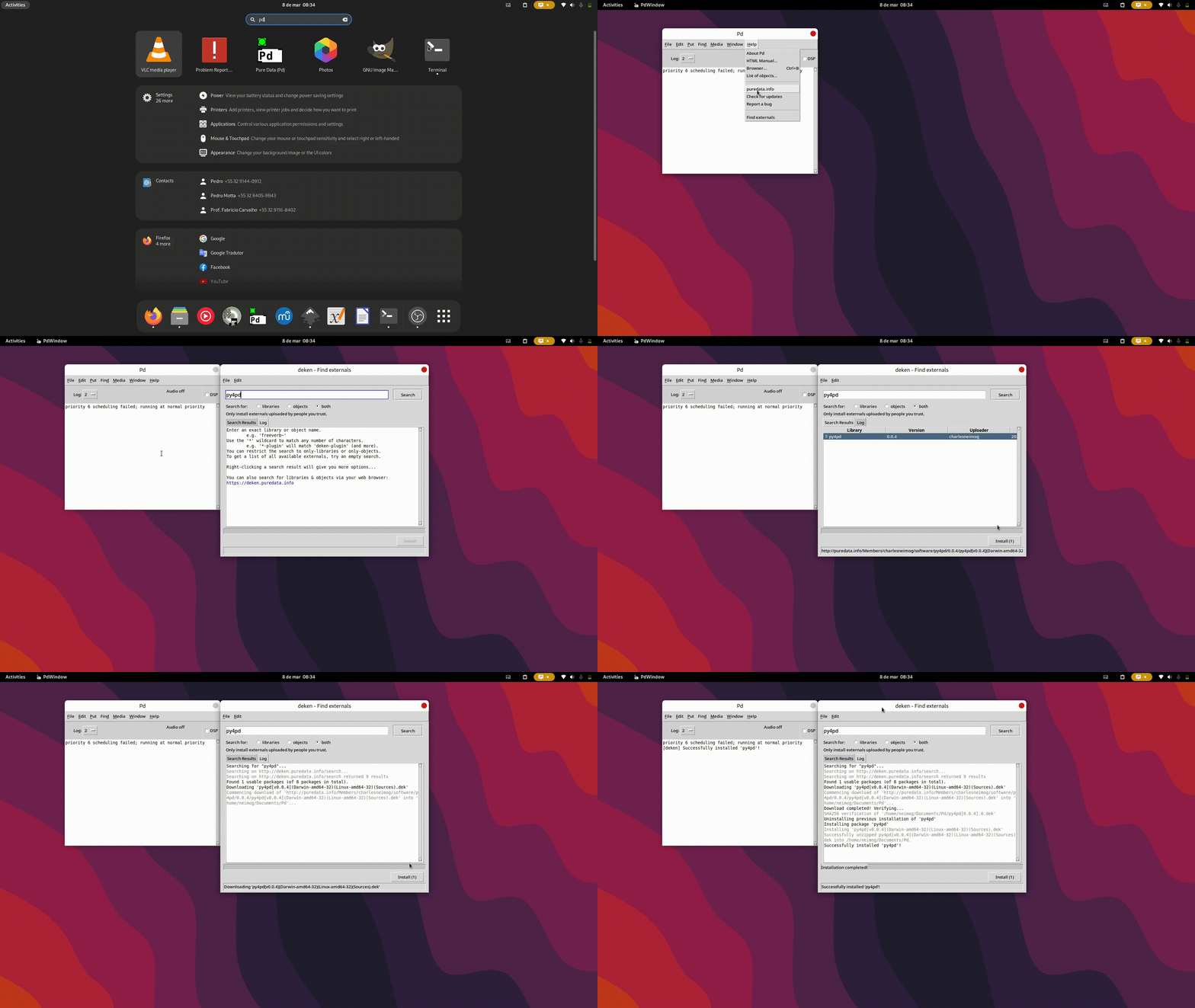
py4pd First, open PureData, Help->Find Externals-> search for py4pd then select py4pd and click on Install:
Install Python
On Linux you need to use the command line:
- Linux:
sudo dnf install python3.11orsudo apt install python3.11;
On MacOS and Windows you can install Python like and ordirary software.
- MacOS: Go to Python.org and install normally.
- Windows: Go to Python.org and install normally.
For Windows Users
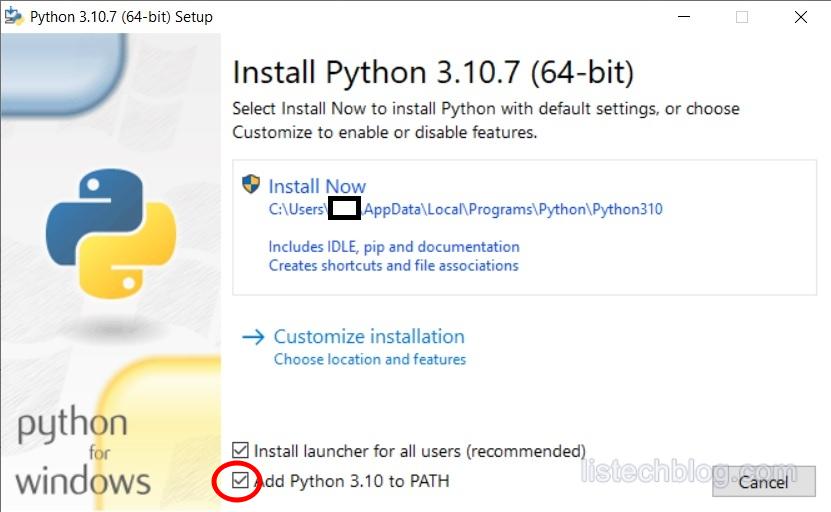
I recommend mark the option Add Python 3.10 to PATH.
Attention to Python Version
Python installation must be the same that the version of py4pd.
| py4pd version | Python version |
|---|---|
| 0.6.0 | Python 3.10 |
| 0.5.0 | Python 3.11 |
| 0.4.0 | Python 3.11 |
| 0.3.0 | Python 3.10 |
| 0.2.0 | Python 3.10 |
| 0.1.0 | Python 3.10 |
| 0.0.0 | Python 3.10 |