Methods
Next, I present all methods used in py4pd object. The methods are messages that you can send to the object. The methods are:
-
It loads the
Pythonfunction. -
To install packages.
pip installinstall packages,pip targetwhich folder install the packages. -
It runs the
Pythonfunction. -
On/Off the Python Data output.
-
Print the documentation of the
Pythonfunction. -
Open a loaded script.
-
Set the editor to open Python Scripts.
-
Create a new
.pyscript. -
Print all the functions inside a script.
-
Reload the Python Function.
-
Set the Python Home folder.
-
Set the Python Packages folder (where Python searches for Packages).
-
Print the Version of
py4pdand Python.
set
setSet the function for the object.
-
Arguments
Parameters Type Description arg1symbolPython Script name (never uses arg2anythingArgs for the function -
Example

Tip
If you will always use the same function, you can create the object with the
py4pd script function.
pip
pip When you set some function and see some error related to ModuleNotFoundError: No module named some module, you need to use pip to install this module.
-
Arguments
Parameters Type Description arg1symbolmust be installarg2modulenameModule name to install Note
You can also use
pip targetto change the folder wherepy4pdwill install the modules.pip target localwill install the modules inside the patch folder.pip install globalwill install in the py4pd folder. Global installations are the default. -
Example

run
run Used to run the Python Functions.
-
Arguments
Parameters Type Description ArgumentsanythingArguments for the function -
Example

pointers
pointers You can work with Python Data types inside PureData. With this, you can work with any data type provided by Python inside PureData.
-
Arguments
Parameters Type Description on/off1or01for on0for off -
Example

doc
doc It prints on PureData the documentation of the Python Function (if it exists).
-
Arguments
There is no Arguments.
Note
The creator of the function must provide some documentation.
-
Example

open
open It opens py script files, in case the file does not exist in the patch folder, it creates a new Python Script. open score, for example, will open the score.py (if it exists) or create score.py.
-
Arguments
Parameters Type Description argssymbolscript file name without extension .py. -
Example

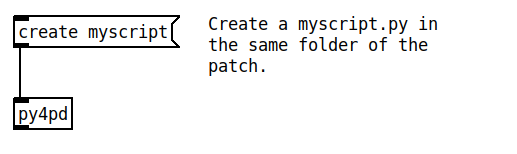
create
create It creates a new script in the patch folder.
-
Arguments
Parameters Type Description argssymbolscript file name without extension .py. -
Example
editor
editor Without arguments, it opens the Python Script loaded with the message set. With one symbol args, you can choose between four IDE: vscode, nvim,emacs, orsublime`. The function must be loaded first.
-
Arguments
Parameters Type Description arg1symbolvscode,nvim,emacsandsublime. -
Example

Tip
If a function is loaded, clicking on the object will open the loaded function too.
reload
reload If you are working on a Python Script and changing the code, you need to send this message to the py4pd for the changes to be loaded.
-
Arguments
There are no Arguments.
-
Example

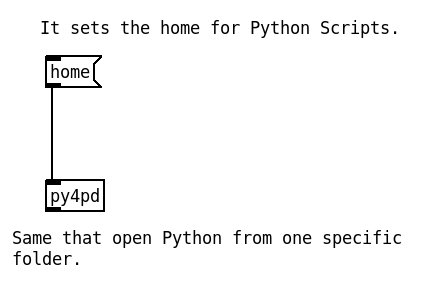
home
home Set the home for Python. It is similar to executing Python from some specific folder. For example, when we use cd Downloads then python myscript.py in the same terminal.
-
Arguments
Parameters Type Description arg1symbolFolder that will be the HOMEfor Python Script. -
Example
packages
packages Set the package path for Python. py4pd will look for external modules inside these folders. For example, if you have one virtual environment called composition`` with miniconda, you can sendpackages ~/miniconda3/envs/composition/lib/python3.11/site-packages` to use the installed packages.
-
Arguments
Parameters Type Description arg1symbolFolder that will be the HOMEfor Python packages. -
Example

version
version Output the version of the installed py4pd and the version of Python.
-
Arguments
There is no Arguments.
-
Example
