Installation
Setup
Python installation is required!
Installing just `py4pd` (no Python) will not work.
The process of installation is simple, first we install Python and then py4pd.
1. Install Python
Check the Python Version
| Py4pd Version | Python Version |
|---|---|
0.8.0 |
Python 3.11 |
0.7.0 |
Python 3.10 |
On MacOS you can install Python as an ordinary software.
- Go to Python.org,
- Go to the bottom of the page and download:
macOS 64-bit universal2 installer. - Install it as an ordinary program.
On Windows you can install Python as an ordinary software.
- Go to Python.org,
- Go to the bottom of the page and download:
Windows installer (64-bit). - Install it as an ordinary program.
On Linux:
- Open the terminal.
- Run:
-
sudo dnf install python3.11 python3-pip -
sudo apt install python3.11 python3-pip -
yay -S python311 python3.pip
-
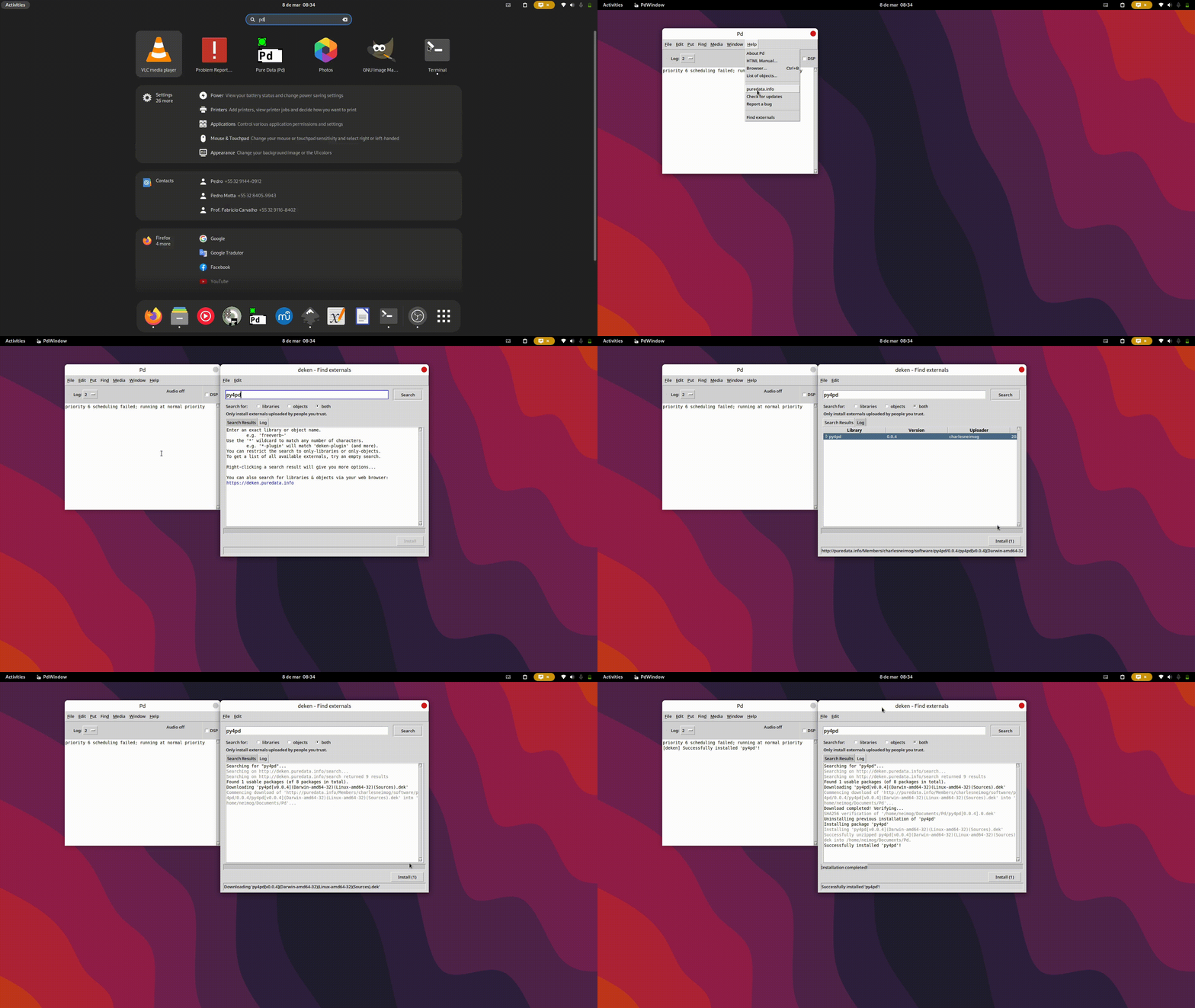
2. Install py4pd
py4pd - Open PureData,
- Go to
Help->Find Externals->, - Search for
py4pd, - Select py4pd and click on
Install: